
See below the step-by-step instructions on how to request a KPI.
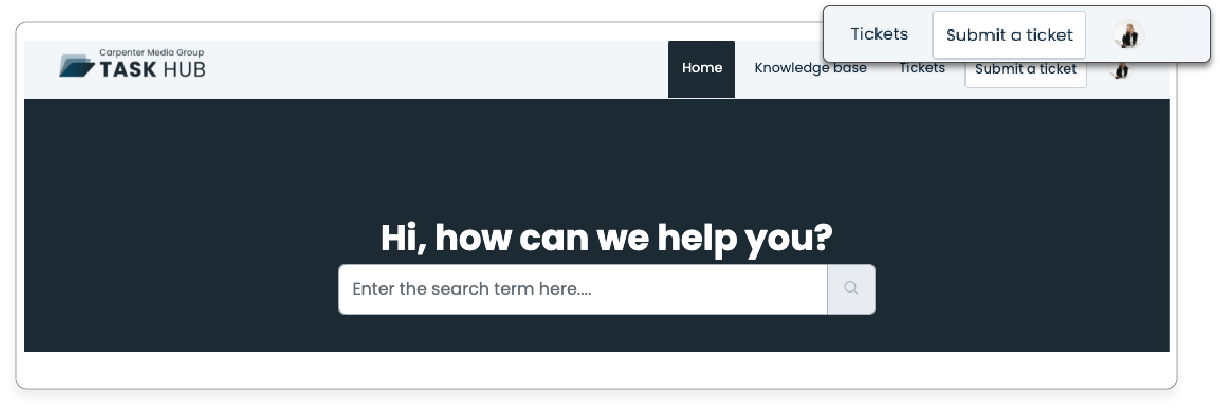
1. In the TaskHub Home, click on 'Submit a Ticket.'
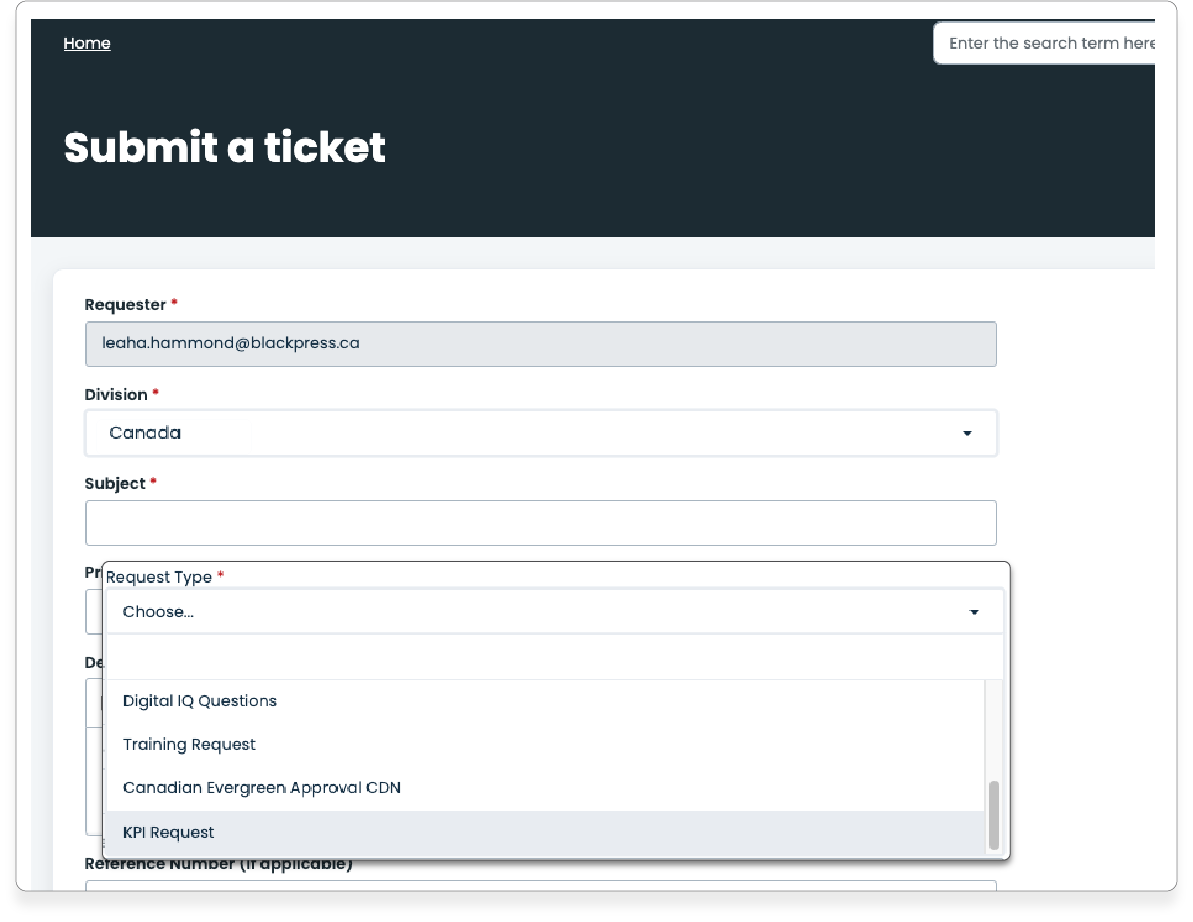
2. Fill in the required fields. In the "Division" field, select the corresponding division (Canada, US), and in the dropdown menu "Request Type," choose "KPI Request."
6. Then click Submit!

Was this article helpful?
That’s Great!
Thank you for your feedback
Sorry! We couldn't be helpful
Thank you for your feedback
Feedback sent
We appreciate your effort and will try to fix the article