
See below the step-by-step instructions to complete a new creative request.

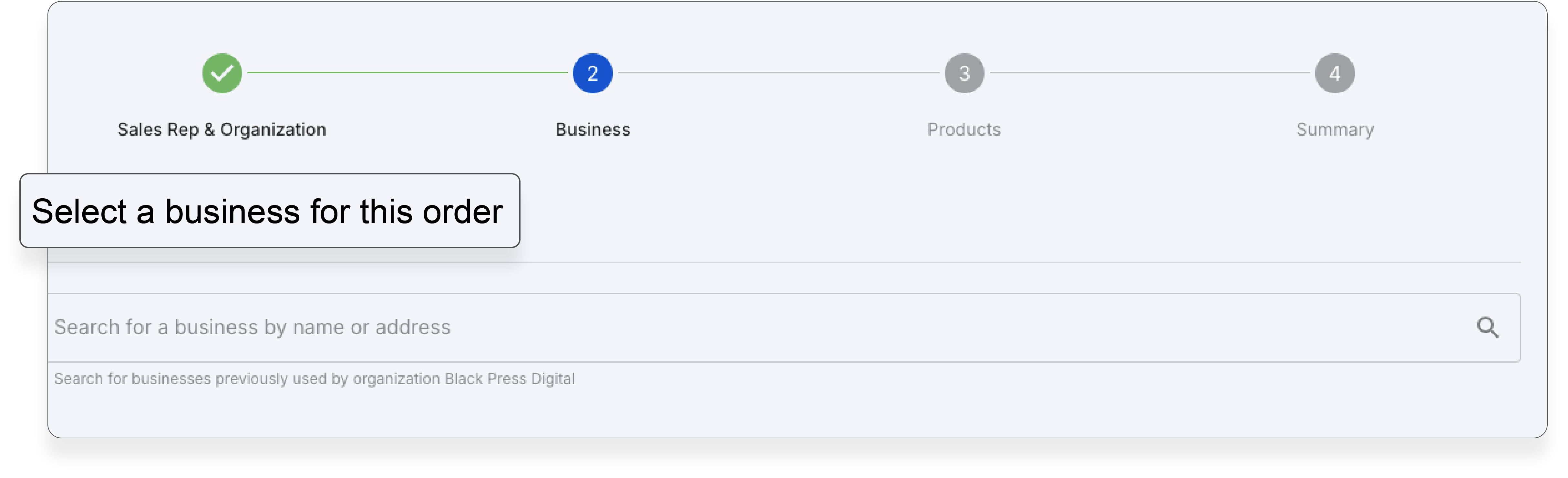
3. After filling in the required fields, proceed by clicking "Create Order."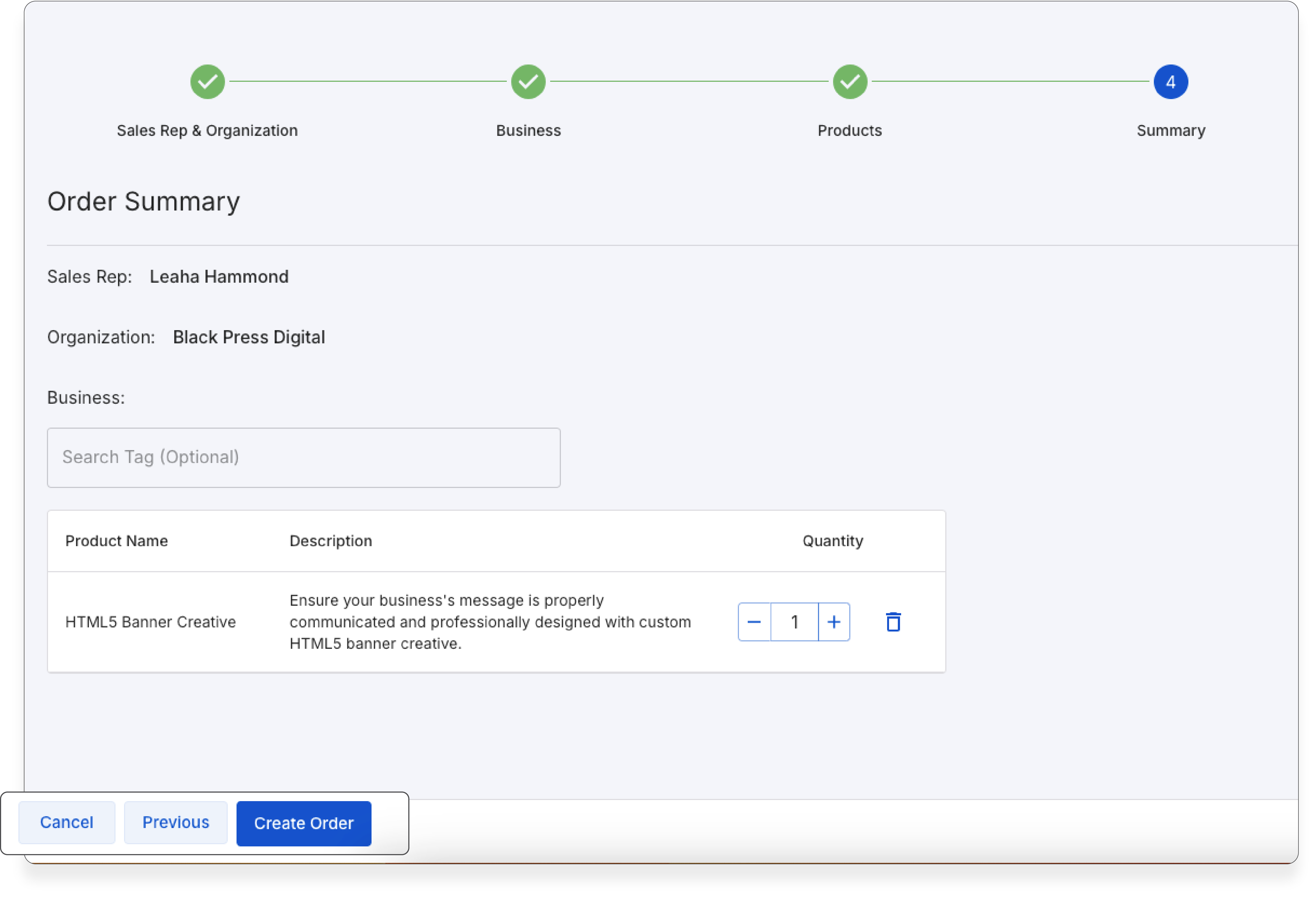
4. Then add your creative to your order.
5. Complete any remaining required fields!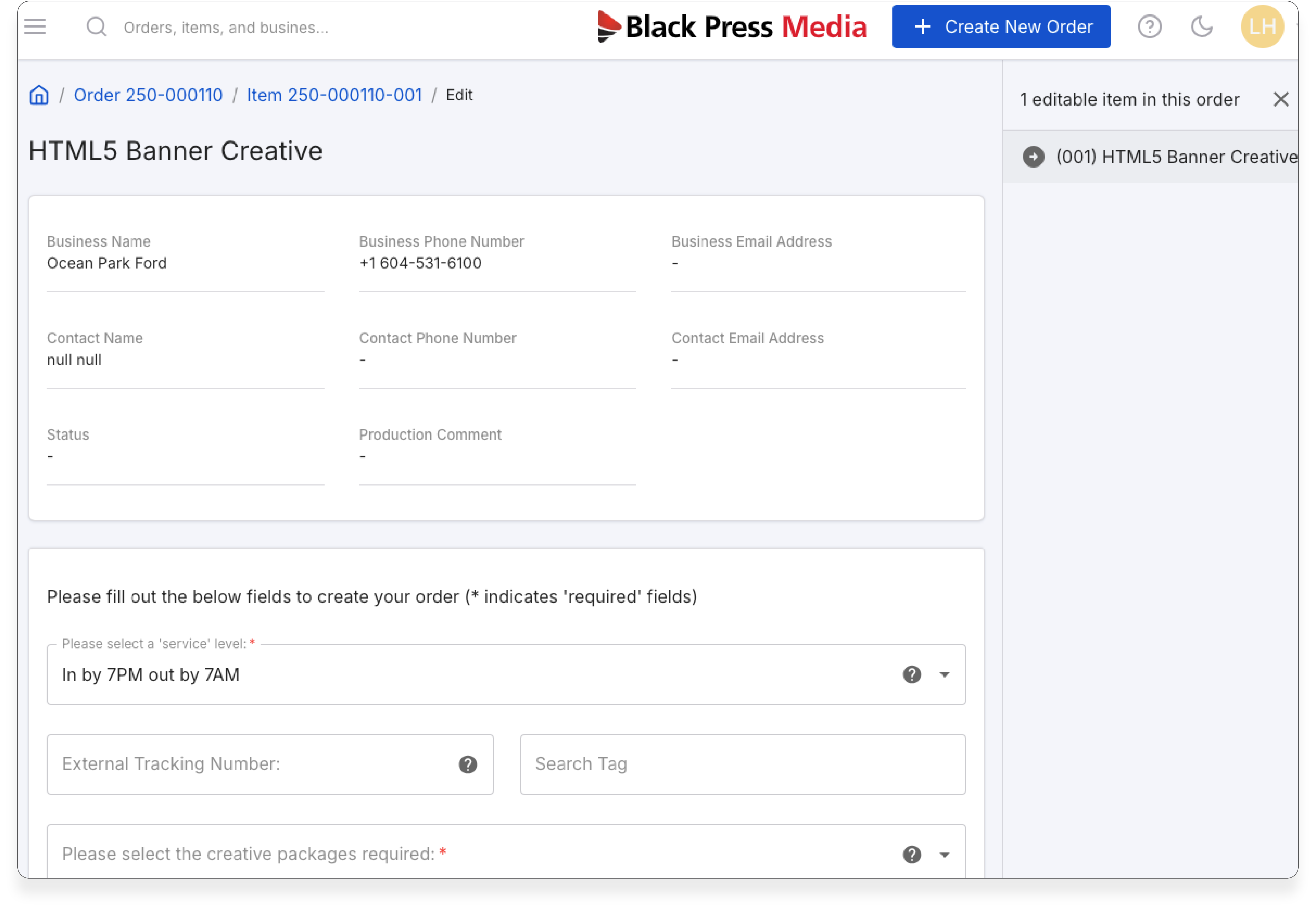
Was this article helpful?
That’s Great!
Thank you for your feedback
Sorry! We couldn't be helpful
Thank you for your feedback
Feedback sent
We appreciate your effort and will try to fix the article