
See below the step-by-step instructions on how to open a ticket to request the cancellation of a Programmatic.
1. In the Affinityx Home, click on 'Submit a Ticket.'
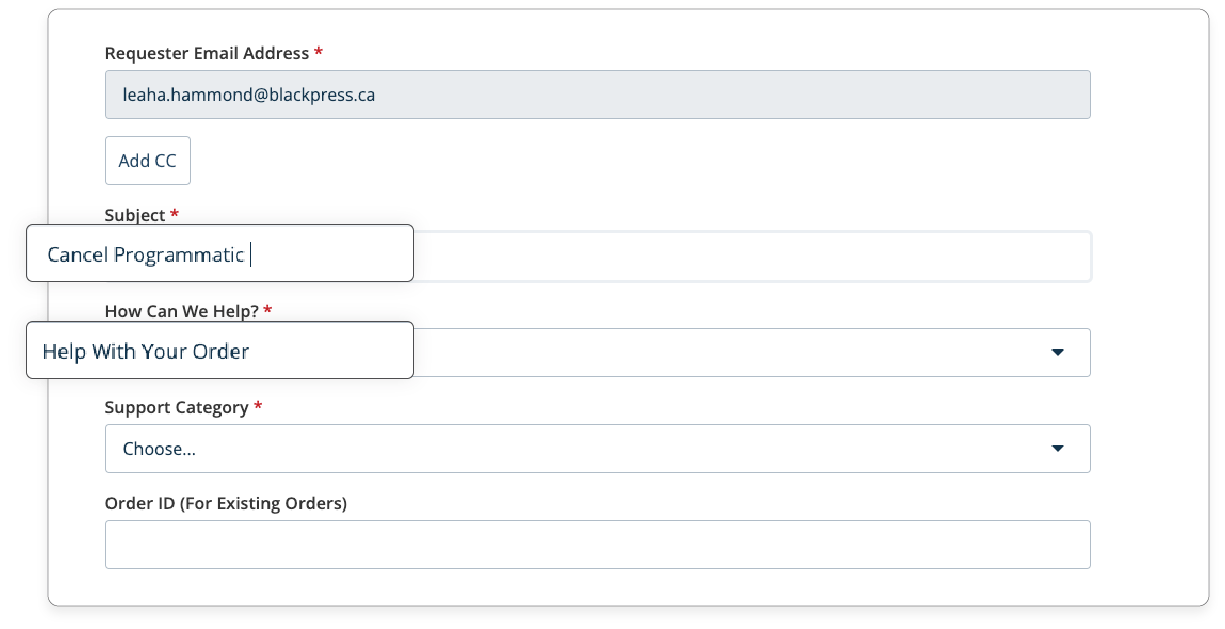
2. Fill in the required fields. In the 'Subject' field, describe the request as 'Cancel Programmatic,' and in the dropdown menu 'How can we help,' select the option 'Help with your order.'
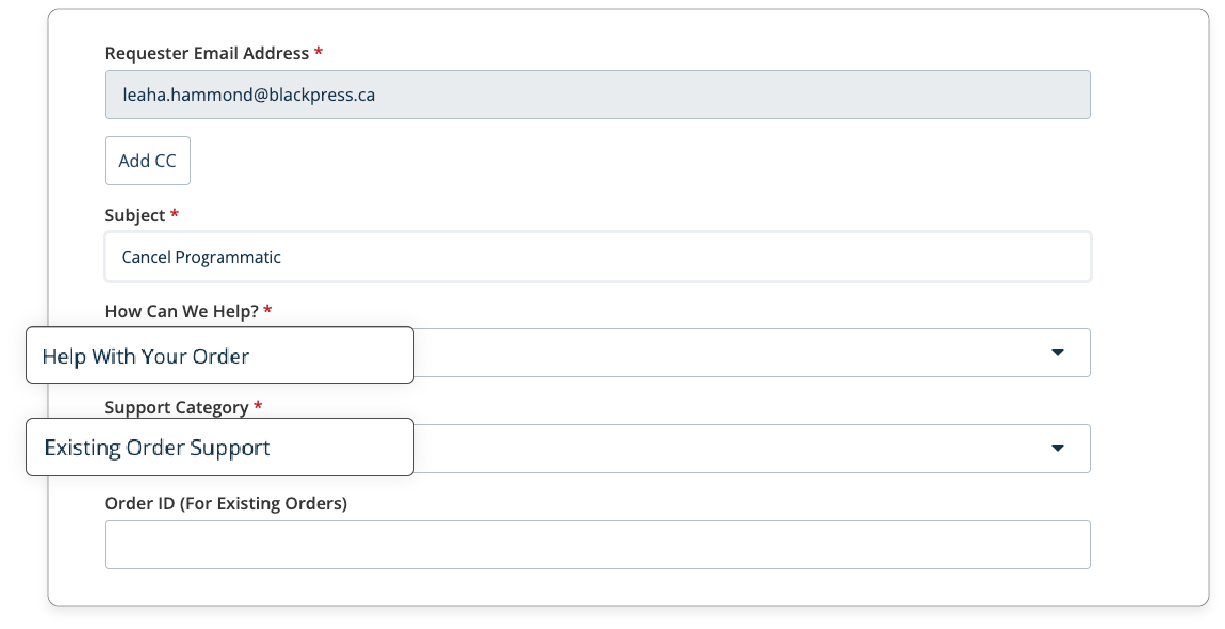
3. In the 'Support Category' field, select the option 'Existing Order Support.'
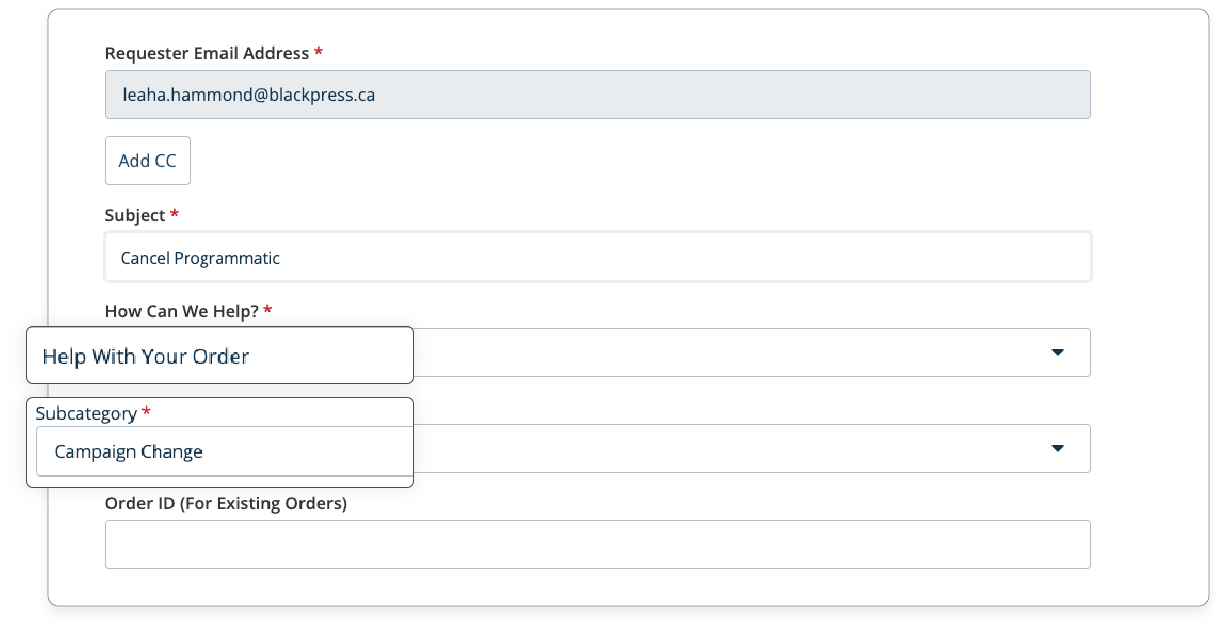
4. In the 'Subcategory' field, select the option 'Campaign Change.'
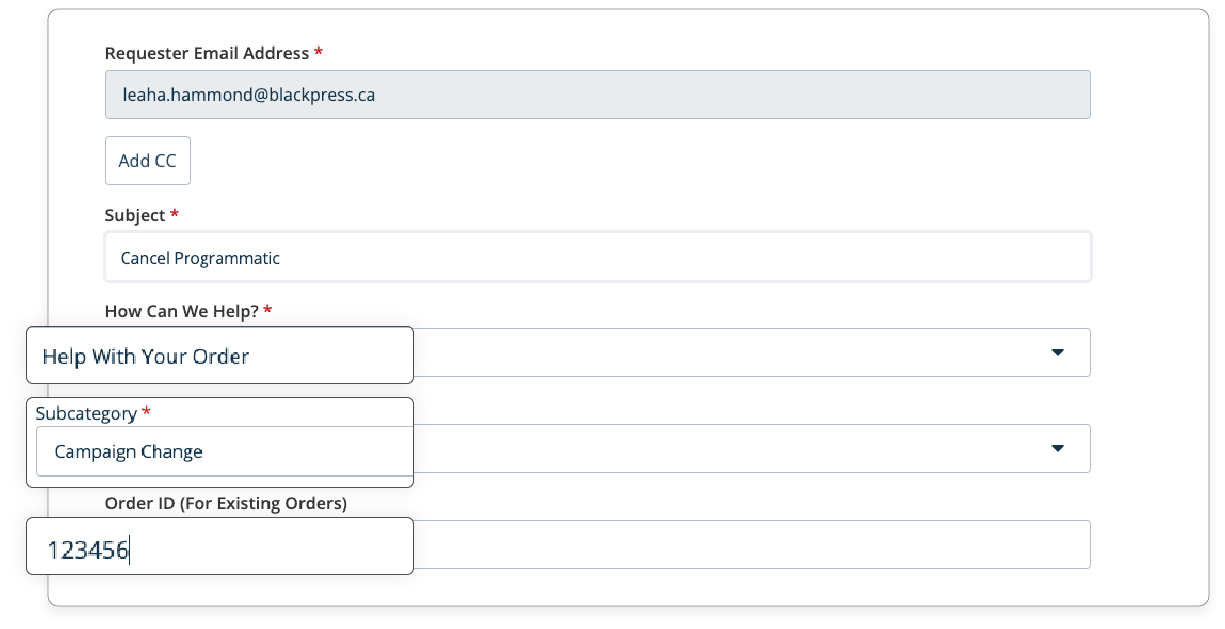
5. Enter your Order ID number correctly.
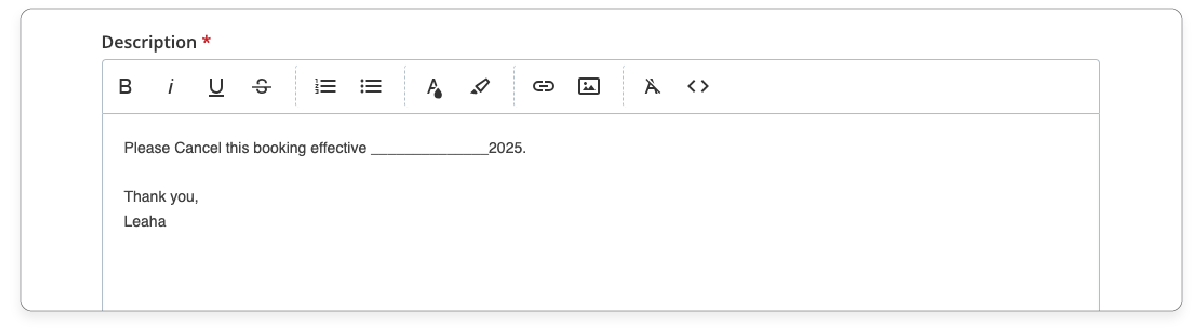
6. Write a description similar to the one below proving cancellation date.
7. Select 'Submit,' and you're done!

Another option is to add a note to the Tactic 2.0 or DAC of the campaign.


Was this article helpful?
That’s Great!
Thank you for your feedback
Sorry! We couldn't be helpful
Thank you for your feedback
Feedback sent
We appreciate your effort and will try to fix the article